2026 Best Digital Printers How to Evaluate Performance?

Time:2026-09-21 Author:Charlotte
0%

Choosing among the 2026 best digital printers requires more than comparing speed, resolution, or advertised automation. A reliable evaluation connects technical specifications with daily production demands, including media changes, color consistency, operator workload, and maintenance interruptions. The right machine should perform well on real jobs, not only in a polished demonstration.

This guide explains how to evaluate digital printing system performance through measurable and practical evidence. Start with output speed, but check whether that speed remains stable across different paper weights and image coverage. Examine registration accuracy, drying behavior, color density, and fine text at normal viewing distances. Measure waste during setup. Record downtime carefully. Real jobs reveal weaknesses.

Production teams should also review total operating cost, service responsiveness, software integration, and documented environmental performance. Independent testing, manufacturer data, and feedback from experienced operators can support a more trustworthy decision. However, no single score fits every print business. A high-volume commercial printer may value monthly duty cycles, while a packaging producer may prioritize adhesion and substrate flexibility.

The numbers matter. So does consistency.

Some evaluations remain imperfect because conditions change. Humidity, operator habits, ink coverage, and maintenance quality can influence results. That limitation deserves attention, rather than hidden behind impressive samples. A practical comparison should include repeat tests, representative files, and clear acceptance standards. This approach helps buyers identify printers that deliver dependable quality, controlled costs, and useful productivity throughout 2026.
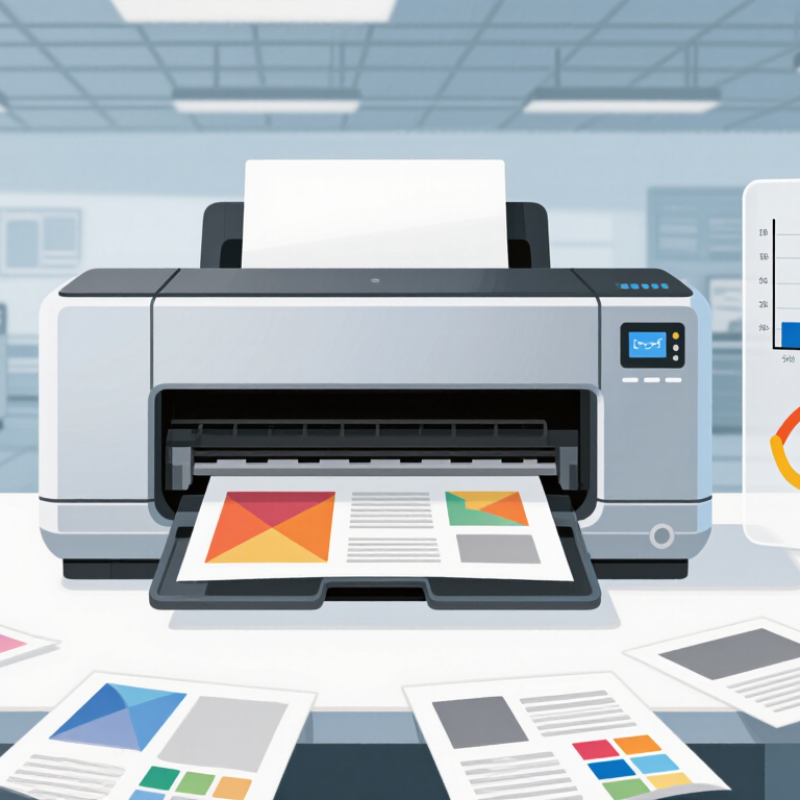
2026 Best Digital Printers How to Evaluate Performance?

What Defines a Digital Printer and Its Main Performance Indicators

A digital printer converts a prepared file directly into printed output without traditional plates. It may use inkjet droplets or electrophotographic toner to place images on paper, film, labels, or other substrates. The defining feature is a digital workflow with fast job changes and variable data capability. That sounds simple. In practice, the printer, software, substrate, and operator all influence the result.

Performance starts with measurable image quality. Check resolution, fine-line detail, smooth gradients, and text clarity under normal viewing distance. Color accuracy also matters, especially for repeated production. Measure color difference against approved targets, rather than trusting appearance alone. Registration should remain stable across the sheet, even during long runs. A slight shift can ruin small text or layered graphics.

Productivity includes rated speed, setup time, drying time, and real uptime. A fast machine may perform poorly if cleaning interrupts every short job. Track usable sheets per hour, not only advertised speed. Substrate range is equally important. Test coated stock, textured paper, and heavier materials under real conditions. Proofs can mislead. I once saw excellent samples fail when humidity changed, exposing weak media control. Energy use, ink or toner waste, maintenance frequency, and operator workload should enter the cost calculation. No printer excels at everything. A careful trial with production files reveals more than a showroom demonstration.

How to Compare Print Quality, Speed, and Color Accuracy

When evaluating a digital printer in 2026, print quality should mean more than sharp text. Inspect small type, skin tones, gradients, and solid color areas under consistent lighting. Fogra’s ProcessStandard Digital recommends objective control using measurement devices and color targets. A practical test should record average ΔE00 values, not rely only on visual impressions. Lower variation usually indicates stronger color accuracy.

Speed needs careful testing. ISO/IEC 24734 provides a recognized method for measuring digital printer productivity with standard documents. Compare the first-page time, sustained output, and recovery after a long job. A machine rated at 60 pages per minute may slow considerably during duplex printing or heavy coverage. That gap matters in production. Test your own paper.

Color stability is often more valuable than peak color range. Measure several sheets from the beginning, middle, and end of a run. Watch for banding, registration drift, and changes between coated and uncoated stock. Smithers’ The Future of Digital Print to 2027 projected the global digital print market could reach about 230.5 billion dollars, reflecting rising demand for repeatable short-run production. Still, report figures do not replace workplace trials. My imperfect view is simple: a slightly slower printer with stable output may outperform a faster model that needs frequent correction.

How to Evaluate Media Handling, Workflow, and Production Flexibility

In 2026, the best digital printer is not simply the fastest machine on a specification sheet. Its real value appears when paper, labels, envelopes, and textured stock move through production without hesitation. Test media handling with your actual materials, not sample packs. Measure feeding accuracy, curl, skew, jams, and changeover time. A practical trial should run repeated jobs across different weights and sizes. Watch the operator. Does loading feel clear, or does every adjustment require a manual?

Workflow evaluation begins before printing. Check file intake, preflight controls, color consistency, queue management, and finishing communication. A reliable system should recover from interruptions without losing job details. Ask how it records errors and protects approved settings. I would compare ten ordinary jobs rather than one perfect demonstration. That exposes delays between departments, especially when files change late. Automation helps, but blind automation can repeat a mistake quickly. Keep human review where quality risks are high.

Production flexibility matters when demand shifts unexpectedly. Assess variable data, short runs, personalized pages, and rapid substrate switching. Calculate setup waste and useful output, not only rated speed. A printer may look efficient while consuming hours in calibration. I have seen promising tests fail during a busy afternoon. That experience changed my evaluation process. I now request transparent service records, operator training details, and independently verified performance data. Leave room for doubt. Document those limits before purchase.

How to Assess Operating Costs, Maintenance, and Energy Efficiency

When evaluating a digital printer, look beyond its purchase price. Operating cost begins with ink, toner, media, electricity, and labor. Record consumption during a representative production run, not only from technical brochures. Calculate cost per finished sheet, including setup waste and rejected pages. Small details matter.

Maintenance directly affects productivity. Ask how often cleaning, calibration, and component replacement are required. Request service intervals, average repair times, and the expected life of major parts. During a practical trial, inspect paper paths, printheads, rollers, and automated cleaning systems. A machine that needs frequent manual attention may create hidden labor costs. Keep records.

Energy efficiency deserves measured evidence. Check power use during printing, warm-up, standby, and sleep mode. A smart meter can reveal differences that software estimates may miss. Compare energy consumption against actual monthly volume. Lower standby power helps, but rapid recovery also matters in short production runs. Energy use varies.

Do not accept maximum-speed claims without testing your own workflow. Dense images, coated media, and repeated color changes can increase consumption and maintenance demand. I have seen forecasts fail when they ignored stoppages and operator time. That weakness is worth admitting. Reliable evaluation combines supplier data, onsite measurements, maintenance logs, and feedback from trained operators.

2026 Best Digital Printers: How to Evaluate Performance

This benchmark compares typical digital-printer performance by workload class. Stacked bars show estimated operating cost per 1,000 pages, while the line shows electricity consumption. Lower values indicate better cost and energy efficiency.

Benchmark assumptions: full-color production printing, normal duty cycles, electricity priced at $0.15 per kWh, and routine maintenance included. Actual results vary with coverage, media type, utilization, service plans, and local energy prices.

How to Select the Best Digital Printer for Different Printing Needs

Choosing the best digital printer starts with the job, not the machine. Estimate monthly volume, sheet sizes, substrates, color needs, and finishing requirements. A short-run label printer faces different demands from a high-volume commercial press. Smithers forecasts the global digital packaging print market will approach 36.9 billion dollars by 2028. That growth makes flexibility valuable, but speed alone can mislead.

Ask for measured production samples. Check color consistency across five consecutive sheets. Inspect small text, gradients, registration, drying, and surface scuffing. Review rated speed under your actual media, not only laboratory conditions. FESPA’s 2023 Print Census reported that 65% of respondents experienced increased turnover, strengthening the need for dependable capacity. Still, a faster engine may create more waste if setup, calibration, or maintenance is difficult.

Calculate total cost per saleable sheet. Include ink, toner, media, energy, labor, service contracts, and rejected prints. Request uptime records and response-time commitments. Confirm workflow compatibility with your existing files and finishing equipment. ISO 12647-based color controls can improve repeatability, but they cannot repair poor operator training. My own evaluation would include a two-week trial with real customer files. It is less impressive than a showroom demonstration. It is more honest. No scorecard is perfect; weighting reliability against peak speed remains a judgment call.

2026 Best Digital Printers: How to Evaluate Performance and Select the Right Printer for Different Printing Needs

Comparative performance guide based on common commercial digital-printing specifications and typical operating ranges

Printer Category Best Fit Typical Monthly Volume Typical Production Speed Common Media Range Color and Image Quality Variable-Data Capability Key Limitation Recommended Selection Priority
Production Cut-Sheet Toner Short-run brochures, flyers, business documents, direct mail, and on-demand commercial work Approximately 100,000–1,000,000 A4-equivalent pages About 60–135 pages per minute, depending on media size and coverage Commonly 60–350 gsm; coated, uncoated, synthetic, and specialty stocks vary by configuration Consistent text and solid-color output; strong registration and fast first-page readiness Excellent; supports personalized text, images, barcodes, and multiple document versions Toner fusing can limit certain heat-sensitive media; high coverage may increase consumable cost Choose when turnaround time, predictable registration, and mixed short-run work are critical
Production Cut-Sheet Inkjet High-volume direct mail, books, transactional documents, and color publishing Approximately 500,000–5,000,000 A4-equivalent pages About 100–300 pages per minute, depending on resolution, color mode, and paper size Often 60–300 gsm; inkjet-treated or inkjet-optimized stocks may be required for premium results Very good productivity and smooth image tones; color consistency depends on media and profiling Excellent; designed for high-speed personalization and data-driven campaigns Paper treatment, drying, ink absorption, and finishing compatibility require careful validation Choose when sustained volume and low click cost are more important than maximum media flexibility
Continuous-Feed Inkjet Books, newspapers, statements, catalogs, and very long unattended production runs Approximately 2,000,000–20,000,000+ A4-equivalent pages Roughly 75–200 meters per minute; actual pages per minute depends on web width and cut length Roll-fed paper, typically lightweight to medium-weight stocks; finishing may include in-line cutting and folding High throughput with consistent output; best results require suitable paper and process control Excellent; supports page-level personalization at web speed Requires substantial floor space, workflow integration, and a consistently high workload Choose only when production volume is high enough to justify roll-fed infrastructure
Wide-Format UV Inkjet Posters, signage, rigid boards, displays, labels, décor, and specialty graphics Highly variable; commonly 10,000–150,000 square feet per month Approximately 300–2,500 square feet per hour, depending on quality mode and substrate Flexible and rigid media, including PVC, foam board, corrugated board, acrylic, metal, wood, and glass High-opacity and durable output; white and clear inks may expand application options Good; supports variable graphics, though workflow speed depends on file complexity and finishing Large footprint, ventilation requirements, and substrate handling can increase operating complexity Choose when substrate diversity, outdoor durability, or large-format impact is essential
Direct-to-Garment Inkjet Custom apparel, small-batch garments, samples, and personalized merchandise Approximately 500–20,000 garments per month Typically 20–80 garments per hour, depending on garment size, pretreatment, and print quality Primarily cotton and compatible textiles; dark garments generally require white ink and pretreatment Detailed full-color graphics with no screen setup; wash durability depends on ink and curing process Excellent; ideal for one-off names, photos, and individualized designs Garment preparation, curing, platen setup, and maintenance can limit throughput Choose when design variation and order customization outweigh maximum unit speed
Desktop or Office Digital Printer Internal documents, prototypes, small offices, classrooms, and low-volume marketing materials Approximately 1,000–30,000 pages About 15–60 pages per minute, depending on print mode and document type Usually 60–220 gsm; standard office paper and limited specialty media Good for everyday text and graphics; output consistency varies with duty cycle and media Basic to good; supports standard mail merge and routine personalized documents Lower duty cycle, slower finishing, and higher cost per page at sustained commercial volume Choose when purchase cost, compact size, and occasional printing are the main concerns
Label and Packaging Digital Printer Short-run labels, variable packaging, prototypes, seasonal products, and versioned packaging Approximately 50,000–1,000,000 square meters per month Typically 10–75 meters per minute, depending on resolution, ink set, and substrate Self-adhesive label stock, films, paperboard, flexible packaging films, and other converted materials High-resolution color with strong suitability for barcodes, fine text, and brand-color matching Excellent; supports unique codes, serial numbers, localized content, and regulatory information Substrate certification, ink adhesion, finishing, and food-contact or compliance requirements must be checked Choose when short runs, rapid version changes, and reduced setup waste are priorities
Evaluation Notes: Actual performance varies with print resolution, page coverage, media size, substrate, finishing configuration, workflow software, operator skill, and maintenance schedule. Before purchasing, compare measured cost per saleable page, uptime, waste rate, first-page-out time, color consistency, media compatibility, service response, and total cost of ownership.

FAQS

What defines a digital printer?

A digital printer converts a prepared file directly into printed output without traditional plates. It may use ink droplets or toner. This workflow supports quick job changes and variable data. The result depends on software, media, printer settings, and operator skill.

Which image quality indicators should be checked?

Inspect resolution, fine lines, gradients, text clarity, color accuracy, and registration. View samples from normal reading distance. Compare colors against approved targets, not appearance alone. Slight registration shifts can damage small text and layered graphics.

How should printing speed be measured?

Measure usable sheets per hour. Include setup, drying, cleaning, calibration, and stoppages. Advertised speed can mislead. A slower machine may deliver more saleable sheets.

Which substrates should be tested?

Test coated stock, textured paper, labels, film, and heavier materials when relevant. Use real production files. Check feeding, drying, scuffing, and registration. Humidity can change results. Proofs are not enough.

How can operating cost be calculated?

Include ink or toner, media, electricity, labor, maintenance, and rejected pages. Calculate cost per finished sheet. Record consumption during a representative run. Small setup waste can become expensive.

What maintenance questions matter?

Ask about cleaning, calibration, component replacement, service intervals, and repair times. Check paper paths, rollers, printheads, and cleaning systems. Frequent manual attention creates hidden labor. Keep maintenance records.

How can energy efficiency be evaluated?

Measure electricity during printing, warm-up, standby, and sleep mode. A smart meter may reveal actual usage. Compare energy consumption with monthly production volume. Lower standby power helps. Fast recovery also matters.

How should a printer be selected for a specific workflow?

Start with monthly volume, sheet sizes, substrates, colors, and finishing needs. Confirm compatibility with existing files and finishing equipment. Request samples using real customer files. A two-week trial is less impressive, but more honest.

Is the fastest digital printer always the best choice?

No. Dense images, coated media, and color changes can reduce practical productivity. Evaluate uptime, waste, labor, maintenance, and saleable output. Peak speed is only one factor. My judgment can be wrong.

Conclusion

Choosing the best digital printer in 2026 requires a clear understanding of how to evaluate digital printing system performance across several key areas. A digital printer should be assessed by its print quality, resolution, color consistency, production speed, and ability to maintain reliable results over long runs. Evaluating media compatibility is equally important, including support for different paper weights, sizes, finishes, and specialty materials. Workflow automation, job preparation, variable-data capabilities, and production flexibility also help determine whether a system can meet changing business requirements.

Operating costs should include ink or toner usage, media consumption, maintenance frequency, labor needs, and energy efficiency rather than focusing only on the purchase price. The ideal printer depends on the intended application, such as short-run commercial work, personalized documents, packaging, signage, or in-house production. By comparing performance, usability, scalability, reliability, and total cost of ownership, buyers can select a digital printing solution that delivers consistent value and supports future growth.

Charlotte

Charlotte

Charlotte is a seasoned marketing professional with a deep understanding of the company's portfolio and a passion for elevating its presence in the market. With a keen eye for detail and a commitment to excellence, she ensures that our professional blog is regularly updated with insightful articles......